
KRA eTIMS Integration Module for Perfex CRM – Kenya Tax Invoice Compliance
KRA eTIMS Integration Module for Perfex CRM – Kenya Tax Invoice Compliance Original price was: ₹9,377.00.Current price is: ₹1,421.00.
Back to products
VisaNir—Modern Visa Consulting Processing Agency Platform
VisaNir—Modern Visa Consulting Processing Agency Platform Original price was: ₹5,588.00.Current price is: ₹852.00.

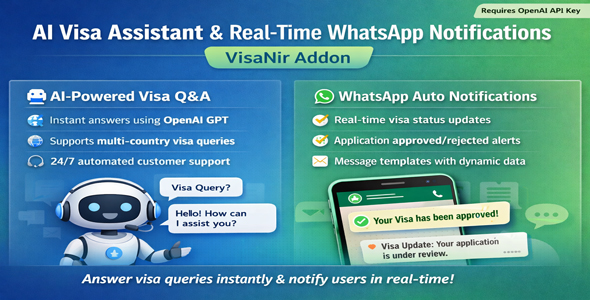
AI Visa Assistant Real Time WhatsApp Notifications VisaNir Addon

300+ Downloads
Popular this month
Daily Updates
Latest versions available
100% GPL Files
Safe & verified downloads

Original price was: ₹1,705.00.Current price is: ₹284.00.

⭐ MOST POPULAR

Unlimited Downloads

Get instant access to all premium WordPress themes, plugins & template kits.

₹999 / Month
  • ✓ 5,000+ Products
  • ✓ Unlimited Websites
  • ✓ Priority Support
Join Membership

Description

The VisaNir Addon System lets you extend your visa consulting platform with powerful features — from AI chatbots to WhatsApp Notifications — without touching core code. Each addon is a self-contained ZIP file you upload via the admin panel. Activate, configure, and go live in under 60 seconds.
What It Does
Adds a floating AI chat bubble (bottom-right corner) on every page of your website. Users can ask any visa-related question and receive instant AI answers — visa requirements, document checklists, processing times, fees, and travel tips. Powered by OpenAI GPT-4o / GPT-4o-mini via the AIVisaAssistantService.
The AI is pre-prompted as “VisaNir AI Assistant — an expert in international visa requirements.” It recommends official embassy websites when unsure, and formats answers with bullet points for clarity.
Key Features
24/7 AI-powered visa chatbot visible on all pages
Answers visa requirements, document checklists, processing times, fees, and travel tips
Floating chat bubble UI — non-intrusive, always accessible
Powered by GPT-4o / GPT-4o-mini (your own OpenAI API key)
Pre-configured as a visa expert assistant
Recommends official embassy sources when needed
Activate / deactivate instantly from Admin Panel
API key is hidden when addon is deactivated
Installation Steps
Go to Admin → Addon Manager and click Upload Addon. Select ai_visa_assistant.zip → click Install.
After installation, find AI Visa Assistant in the addon list and toggle it ON. The API key field will now appear in Admin → Addon API Settings.
Go to Admin → Addon API Settings → AI Visa Assistant. Paste your sk-… OpenAI key → Save. If you deactivate the addon, this field hides automatically.

Customer Reviews

Reviews

There are no reviews yet.

Be the first to review “AI Visa Assistant Real Time WhatsApp Notifications VisaNir Addon”

Your email address will not be published. Required fields are marked *